Know when a camera stops recording — before your customer does.

CamVitals watches every Nx Witness system you manage. Offline servers and cameras, recording gaps, ageing hardware and forgotten user accounts, on one screen and in your inbox.

The demo needs no account. The trial connects through your Nx Cloud login: nothing to install on site.

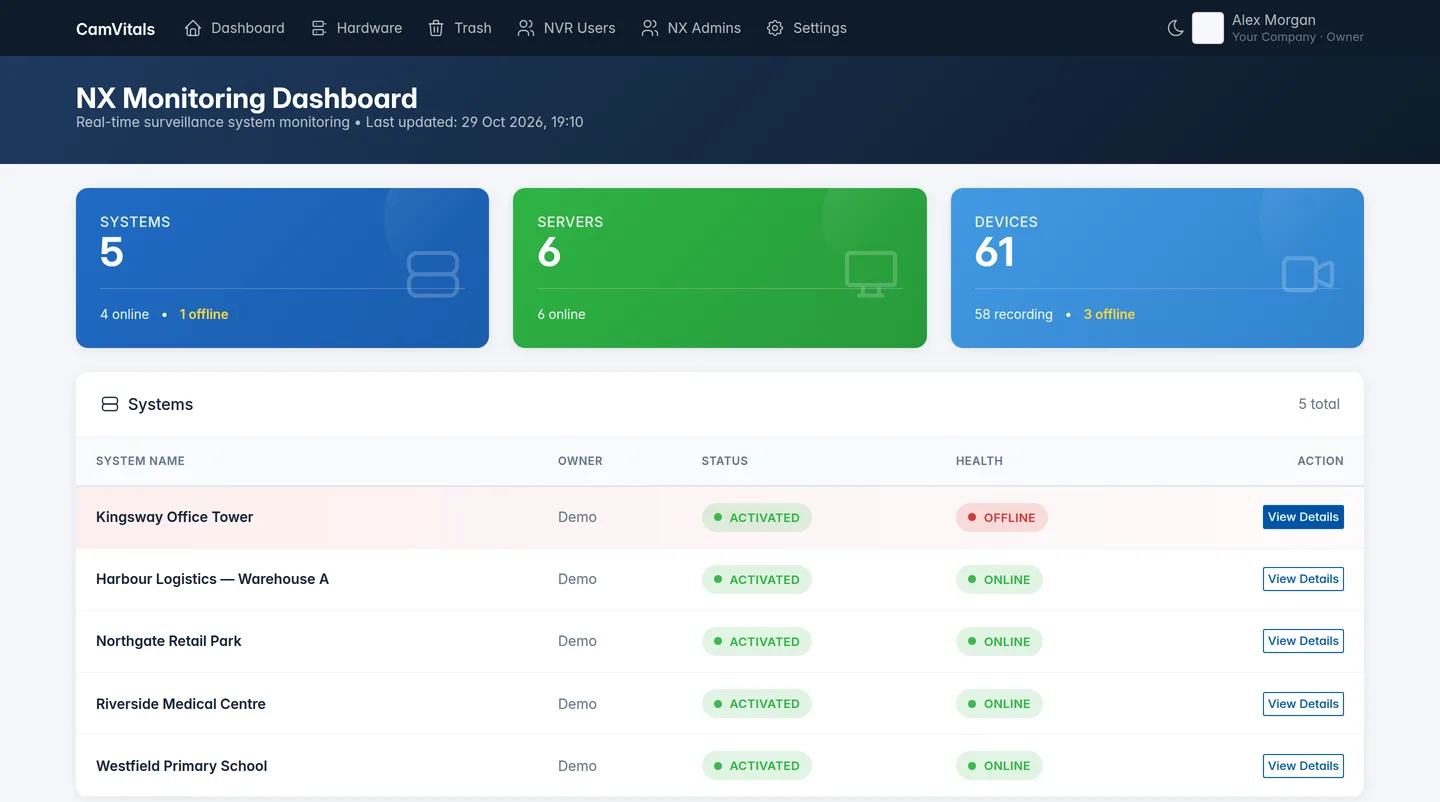
CamVitals dashboard with five systems, one of them offline

What CamVitals keeps an eye on

Built by an integrator after a customer found out their surveillance system had been down for three days without anyone noticing.

Offline alerts

Every system, server and camera is checked each hour. When something drops offline you get an email, with the system and device named.

Recording history

Hour-by-hour status per camera is kept, so "when exactly did camera X stop recording?" has an answer after an incident.

Hardware lifecycle

Each camera and recorder model is assessed for support status, known security risks and end of life, with a replacement advice per model.

User audit

See every Nx Cloud and local user on every system, with role and last login. Spot the contractor who still has admin rights two years later.

Image quality checks

Optional per system: camera images are checked for brightness, contrast and blur, so a dirty lens, a failing IR light or a camera knocked out of position shows up.

Storage health

Storage status and free space per recording server, so a failing disk is noticed before the archive runs short.
Which hardware needs replacing, and where

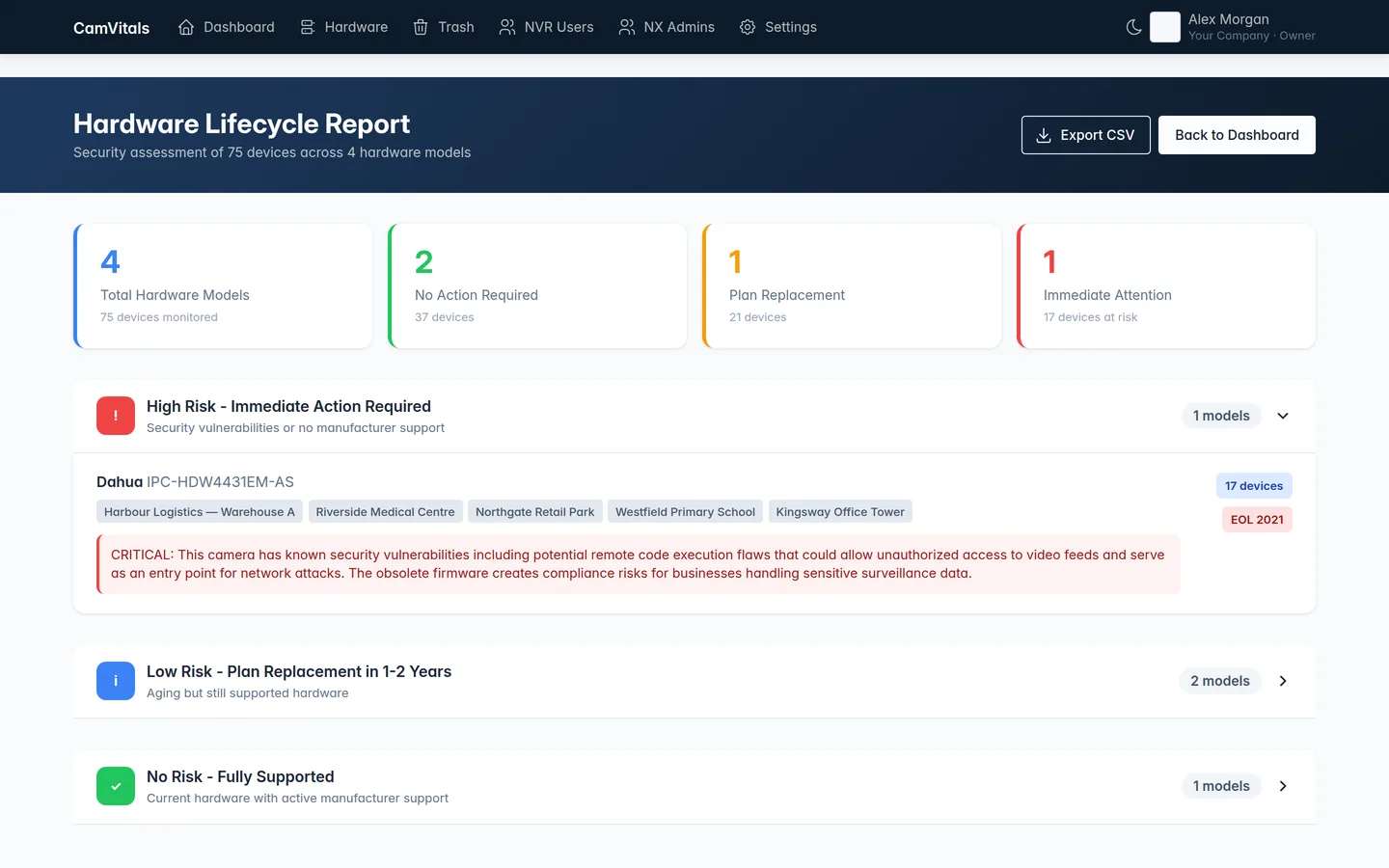
The hardware report groups every model across all your sites by risk.

  • Models with known vulnerabilities or no manufacturer support at the top
  • For each model: how many devices, and on which systems
  • Export to CSV for a replacement proposal
Hardware lifecycle report showing one model needing immediate replacement
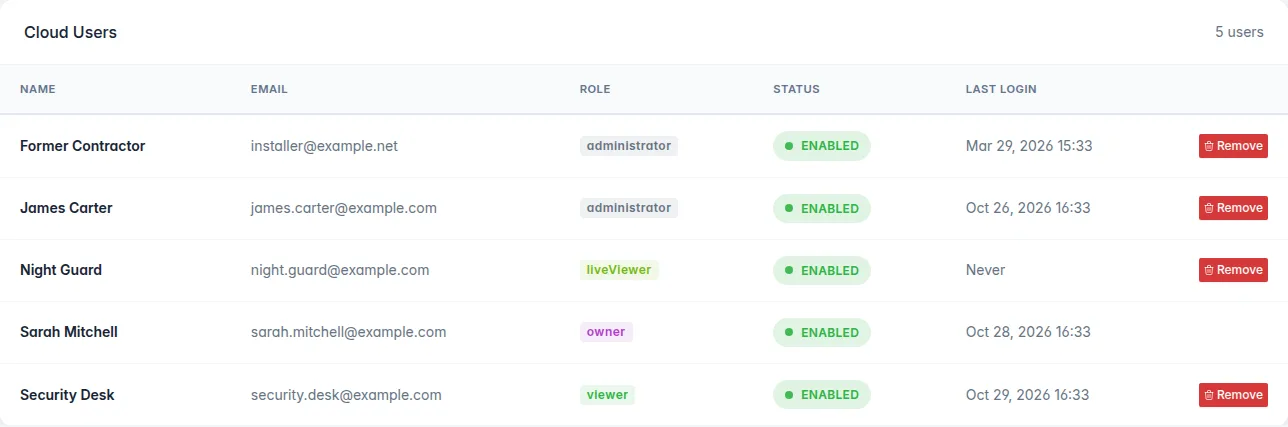
List of Nx Cloud users on a system with role and last login

Who still has access?

Installers come and go; their accounts often stay.

  • Cloud and local users of every system in one list
  • Role and last login, so stale admin accounts stand out
  • Disabled accounts shown as such

Up and running in minutes

CamVitals reads from Nx Cloud. No agent, no VPN, no changes to your systems.

Create an account

Sign up with your company name and email address.

Connect Nx Cloud

Enter the Nx Cloud login you use to manage your systems. We check it straight away.

See your systems

Every system on that account appears on your dashboard, and monitoring starts.

Pricing

Pricing depends on the number of systems and cameras you manage. Tell us roughly what you look after and we'll send you a quote.

Every plan includes

  • All features on this page, for every system
  • Accounts for your whole team, with owner, admin and viewer roles
  • Email alerts and hourly recording history
  • Support from the people who build it

Questions

Do I need to install anything?

No. CamVitals is cloud based and connects to your systems through Nx Cloud. Your systems need to be connected to Nx Cloud.

Where is my data stored?

On our own servers in a data centre in the Netherlands. We store your account details, your Nx Cloud login (encrypted), details and status of your systems and cameras, and the user list of each system. We don't store any video.

Which Nx products does it work with?

Nx Witness and systems built on it, as long as they are connected to Nx Cloud.

What happens after the 30-day trial?

You get a reminder by email three days before your trial ends. Nothing is charged automatically.

What does it cost?

Pricing is on request and depends on the number of systems and cameras. Ask us for a quote.

Can I look around first?

Yes. The live demo shows the full product with sample data, without an account.

See it on your own systems

Start a free 30-day trial, or ask us anything at support@conocido.nl.